Robot training as a way to learn
I want to build a platform around the SO-101 that lets children train a robotic arm. They would participate by demonstrating actions, watching the results, identifying mistakes, and improving their demonstrations until the robot learns a task they have designed.
The product would connect device setup, data collection, model training, and testing on the robot into one understandable journey. Children could begin with a small, concrete task and explore the development process with a teacher or parent.
Who it is for
Children who want to explore robotics through hands-on projects, together with their teachers and parents. The first stage would focus on small, guided learning sessions.
What it would offer
Task guidance, demonstration recording, a training interface, and result playback for the SO-101. The aim is to help participants understand what happens at each step.
The longer-term goal is a development ecosystem where tasks, tutorials, and practical experience can be reused. Participants could learn from other people's projects and contribute their own, bringing robotics development within reach of more learners.
This is the product vision and proposed experience. The children's platform and community ecosystem are future development goals.
Make it work. Then make it repeatable.
Before putting robot training in children's hands, I need a clear deployment workflow. I have organized that path into six stages: hardware setup, environment configuration, teleoperation, data collection, model training, and evaluation on the robot.
This section is a draft workflow supported by the supplied project media. Configuration details, demonstration counts, and evaluation results have not been supplied; the checkpoints below guide future documentation.
Hardware: establish a stable workspace
Map the connections between the SO-101, power supply, communication interfaces, cameras, and workbench. Fix the equipment and camera positions to keep data collection and testing consistent.
Checkpoint: Stable device connections, a clear camera view of the task, and a workspace that fits the arm's range of motion.
Environment and calibration: connect software to hardware
Document the runtime environment, device identification, and arm calibration. Save software versions, device identifiers, and calibration files so a successful setup can be reproduced after restarting.
Checkpoint: Joint states and camera frames can be read, and reusable device configurations are saved.
Teleoperation and visualization: inspect actions and observations
Before training, check that operator inputs, robot responses, and visual observations correspond. Viewing joint curves, action signals, and camera frames together helps locate connection, motion, and data issues.
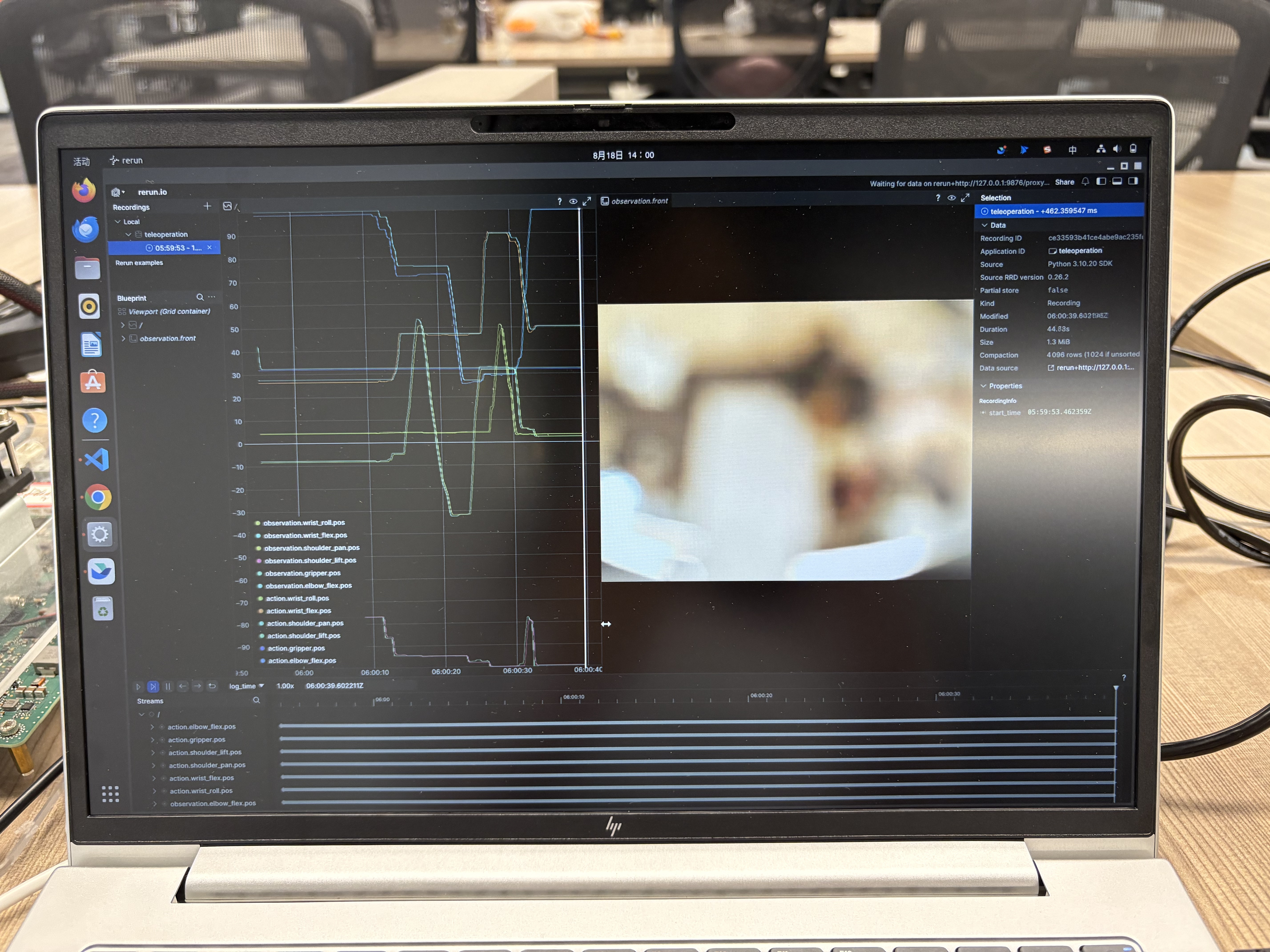
Demonstrations and recording: turn actions into training data
Break the task into clear action stages and record demonstrations. Review each recording for image clarity, smooth motion, and whether the demonstration actually completes the task.
Checkpoint: Each demonstration can be reviewed, and usable samples can be separated from recordings that need another attempt.
Model training: connect demonstrations to a policy
Use reviewed data for training and preserve dataset versions, training configurations, and model checkpoints. ACT is a reference option for this workflow; the model actually used, its parameters, and training results still need to be confirmed in the experiment log.
Checkpoint: The trained model can be loaded and traced back to its data and configuration. Training curves provide useful signals, while actual capability must be checked on the robot.
Evaluation: let failures guide the next iteration
Test the policy under repeatable task conditions and record how far each execution progresses. Identify the stage where a failure occurs, then decide whether to adjust the setup, add demonstrations, or retrain.
Checkpoint: Compare model versions through observed task outcomes and establish a cycle of collection, training, testing, and improvement.
This workflow will also inform the product: which steps can be automated, which need clear guidance, and which require adult supervision must be tested through practical deployment.
From a working setup to willing users
Finding the first users is hard.
My clearest challenge right now is finding the first people willing to try the product. The idea needs to enter real learning environments so I can understand whether children want to participate, whether parents and teachers see its value, and whether the experience is worth returning to.
For the next stage, I want to test one concrete question: can a child, with guidance, complete a learning experience from demonstration to training to watching the robot perform—and want to try a second task?
First users: start with an experience I can observe
- Keep the scope small: Build a complete session around one tabletop task with a clear goal.
- Run guided trials: Explore connections with teachers, robotics clubs, or parents I know, and observe actual use.
- Record friction: Notice when children lose interest, when adults need more explanation, and which preparation steps take the most time.
- Check willingness to return: Ask whether participants want another session or a new task to understand whether the experience has lasting value.
These are proposed validation steps. Users, partnerships, and market validation have not yet been established here.
TERM
Turn deployment into a guided workflow
Reduce repeated configuration and add device checks, data playback, and clear error messages to improve the first experience.
TERM
Turn training results into learning feedback
Help children understand how their demonstrations affect the robot, compare attempts, and use failures to improve.
TERM
Build reusable tasks and a development ecosystem
Develop task templates, teaching materials, and project examples so learners and developers can share experience and reuse results.
Product questions still to validate
Beyond early user acquisition, future trials need to establish appropriate ages, adult supervision, hardware maintenance requirements, training wait times, and reproducibility across devices. These will shape whether the platform becomes a learning tool people use repeatedly.
I want more children to experience teaching a machine themselves—and use that experience to begin understanding, creating, and exploring.